Install and configure Python 3.6 on Ubuntu 16.04
Unlike installing python 3.5 on Ubuntu 14.04. Trying to install Python 3.6 on Ubuntu 16.04 is not an easy mission.
First you need a PPA.
sudo add-apt-repository ppa:jonathonf/python-3.6
sudo apt-get update
sudo apt install python3.6
and then you will found that you can only launch Python 3.6 by command 'Python3.6' in terminal.
There is some way to make python 3.6 as default Python3 compiler,But it may broke your system so I don't recommand you to do that.
Yeah, Just use command 'Python3.6' in terminal manually, Or you can make your own virtualenv by 'Python -m venv'.
But before that you may need to install some lib to Python3.6 packages dir in case to make your Vim autocomplate or some other features work.But you can not do it with 'pip' or 'pip3' easily.
'pip' is for python 2.4 and 'pip3' is for python 3.5,so which one is for python 3.6?

There is some way to solve this problem but I think it is easy and safe to deal with it like this.
sudo python3.6 -m pip --version
see? it is python 3.6 now.
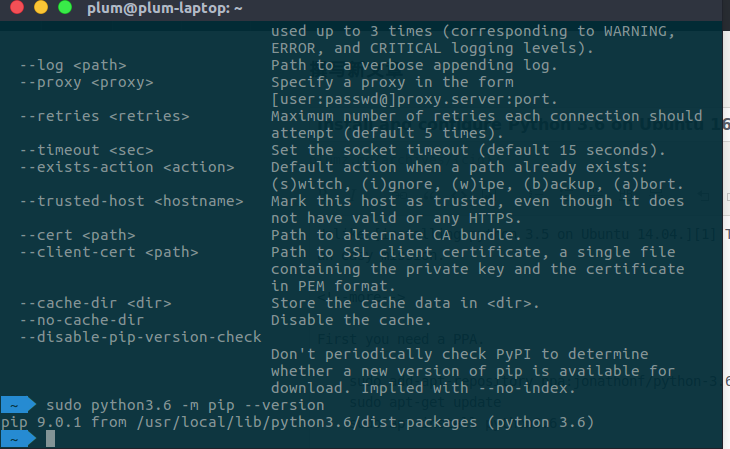
and you can install package like this
sudo python3.6 -m pip install flask


Tricky
https://github.com/pyenv/pyenv