Ubuntu 14.04 配置 oh-my-zsh
搞这个倒不是为了方便,只是为了好看,记录一下。
首先确保你安装了 zsh
sudo apt-get install zsh
使用终端安装 oh-my-zsh
curl
sh -c "$(curl -fsSL https://raw.github.com/robbyrussell/oh-my-zsh/master/tools/install.sh)"
wget
sh -c "$(wget https://raw.github.com/robbyrussell/oh-my-zsh/master/tools/install.sh -O -)"
这时候跟着安装脚本来走,基本已经可以用了,只是需要美化一下,譬如 solarized 主题:
wget --no-check-certificate https://raw.githubusercontent.com/seebi/dircolors-solarized/master/dircolors.ansi-dark
mv dircolors.ansi-dark .dircolors
eval `dircolors ~/.dircolors`
安装终端主题:
sudo apt-get install git-core
git clone https://github.com/sigurdga/gnome-terminal-colors-solarized.git
cd gnome-terminal-colors-solarized
应用终端主题:
./set_dark.sh
./set_light.sh
编辑: ~/.zshrc
增加自己的用户名:
DEFAULT_USER="plum"
修改主题:
ZSH_THEME="agnoster"
启用几个功能:
COMPLETION_WAITING_DOTS="true"
COMPLETION_WAITING_DOTS="true"
最后增加:
alias lsa="ls -A"
eval `dircolors ~/.dircolors`
这里需要确保 .dircolors 的确就是一开始下载的那个文件夹配色,不然会出现文件夹配色丢失的情况:
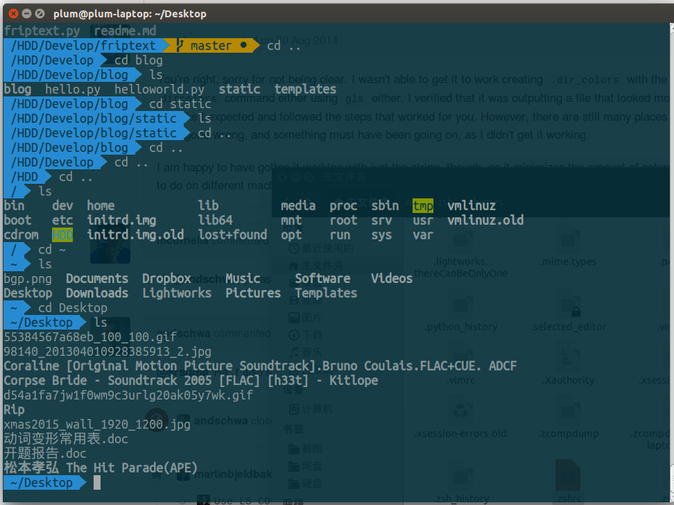
最后你的主题可能还不正常,你需要启用 Powerline 特殊字体,方法这里有写:
https://gist.github.com/agnoster/3712874
最后成功如此:
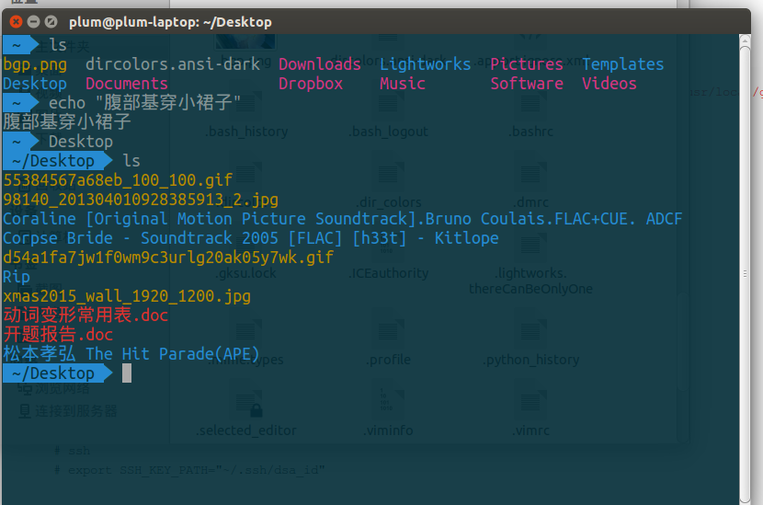
最后我用的是 Terminator 而不是 Gnome-terminal 但是大同小异。
👍❤️😂🎉🔥👀🤡🤔


看了你的文章,我在Ubuntu Gnome配置好了,非常漂亮。多谢
好漂亮:-)
终于找到这一篇~(≧▽≦)/~
多谢博主
Mac和Ubuntu都配好了,方法差不多的~~