Change Ubuntu Unity DateTime Format
On Ubuntu Unity 18.04, The default datetime format is quite weird.
If you displayed week, It would show up "三" instead of "星期三".
So you have to change this.

Install dconf Editor
sudo apt install dconf-editor
launch dconf-editor and go to:
com -> canonical -> indicator -> datetime
open "custom time format" and change it to:
%A %l:%M %p
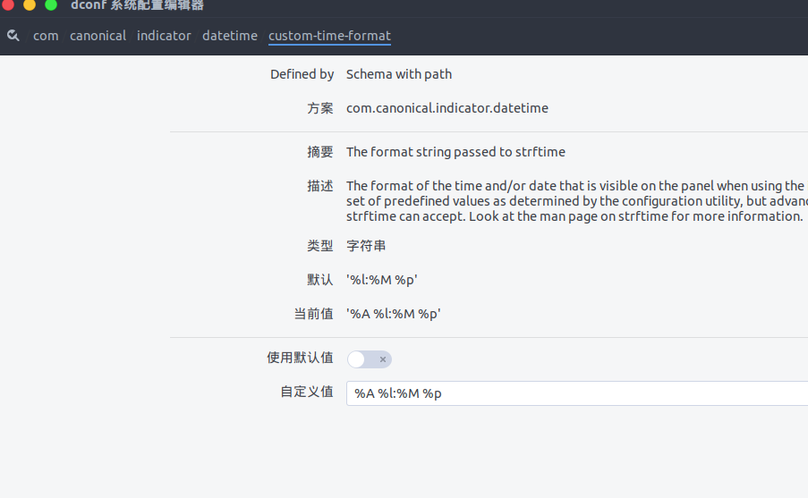
Open "com -> canonical -> indicator -> datetime -> timeformat" and set it to:
custom
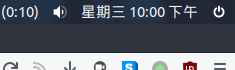
Done!
👍❤️😂🎉🔥👀🤡🤔


wired => weird
更正了。
"If you displayed week, It will show up "三" instead of "星期三"."
这里的虚拟语气没有用对,if did sth, it would do sth
李先生莫打俺啊 😂
更正了。
反正英文烂,多练习练习.
主要目的是防止被无脑copy