throttlestop 在 GPD pocket 上的运行与调整
GPD pocket 电池不小,但是续航却不好,因为它的 CPU 总是开启 turboboost。
我们就需要一点软件进行管理,这个软件就是 throttlestop.
下载在这里,不要钱,最新版还是黑曜石什么的特别版:
https://www.techpowerup.com/download/techpowerup-throttlestop
这个软件特别好啊,运行后就可以禁用 Turbo boost 了,玩 Gal 用这个就够了。
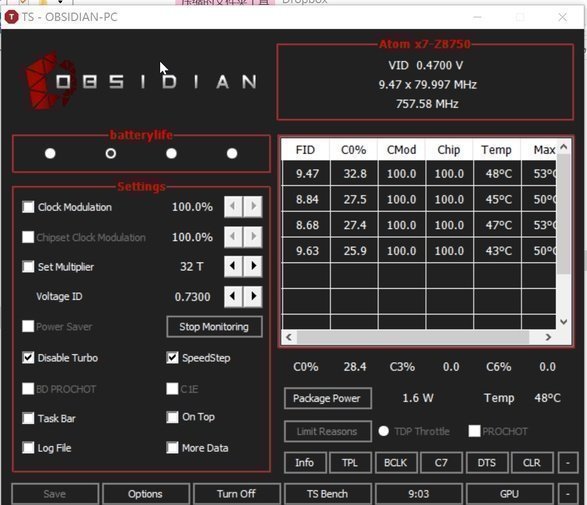
设置后可以在 traybar 里现实几号 CPU 方案,自动设置充电火力全开,电池禁用 turboboost。
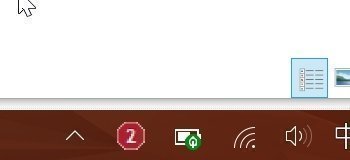
但是又来了新的问题……这个东西需要随着系统启动才行,而且这个东西也不能随便放在 startup 里,因为它需要系统权限……
所以只能添加计划任务了。
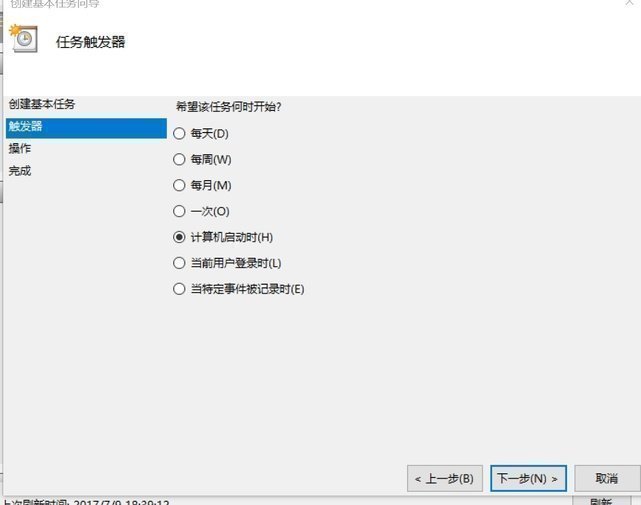
选择启动就运行,然后做一些细节设置。
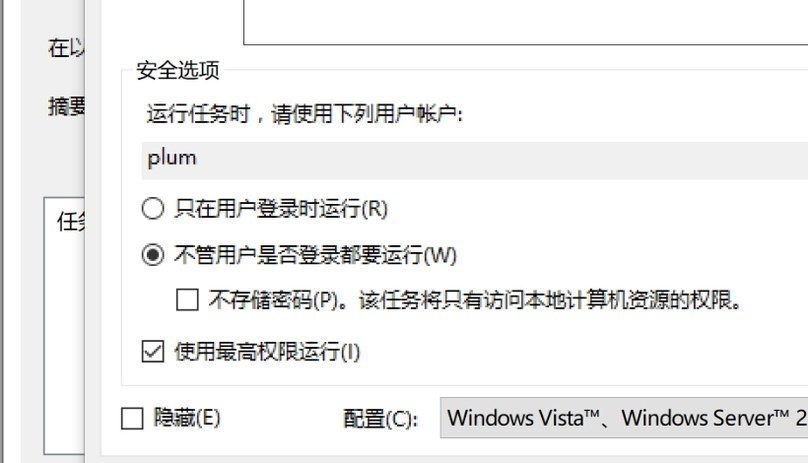
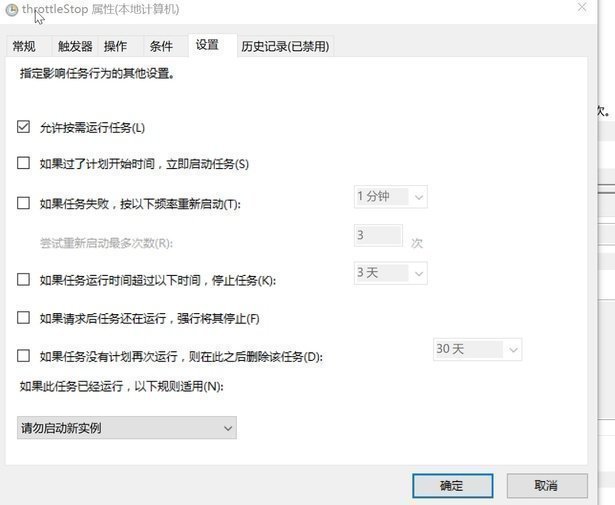
最后就可以了。
如果你出现了运行的时候没有 tray icon 的情况,则可以重新刷新 traybar 来解决
taskkill /im explorer.exe /f
reg delete "HKCU\Software\Classes\Local Settings\Software\Microsoft\Windows\CurrentVersion\TrayNotify" /v IconStreams /f
reg delete "HKCU\Software\Classes\Local Settings\Software\Microsoft\Windows\CurrentVersion\TrayNotify" /v PastIconsStream /f
start "Shell Restarter" /d "%systemroot%" /i /normal explorer.exe
参考链接:
How can I get "ThrottleStop" to auto load when windows starts up?
How to clean the notification area icon cache in Windows
👍❤️😂🎉🔥👀🤡🤔


貌似在电源管理里面把处理器最大频率设置为99%,也能达到禁用turbo的效果
这软件简直就是为Atom而生,从beta开始用的
而我的目的恰好相反,解锁温度墙不要让板子降频